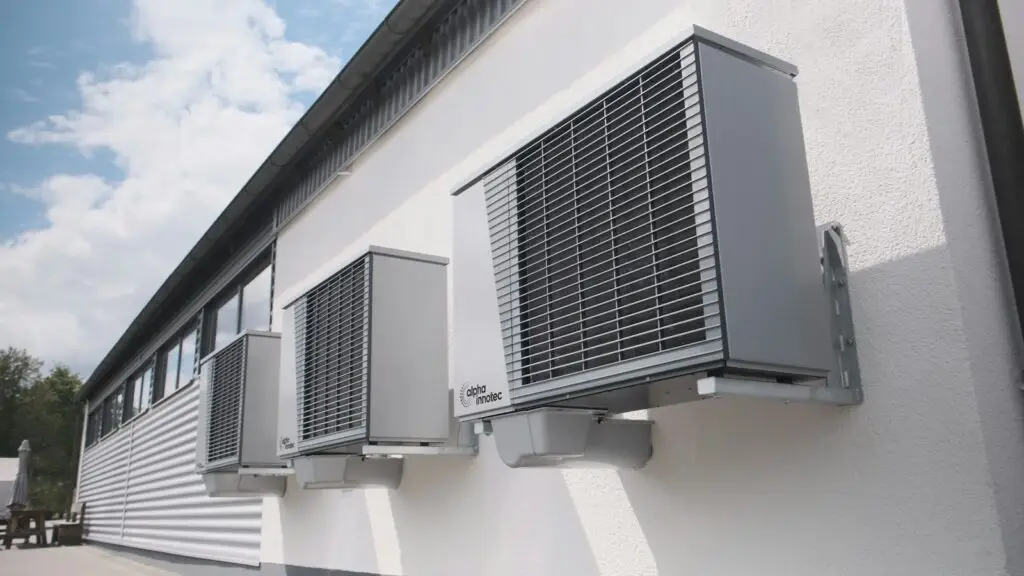
A good commercial HVAC website does three jobs for a facility manager or property manager who has never heard of you: it shows quickly that you handle buildings like theirs, it gives them a page for the exact service they need, and it makes calling you the easiest thing on the screen. The ten steps below cover how to build one, from the page plan through to your Google Business Profile and the code search engines read. None of them require a big budget. Most require one thing. Someone has to own the work.
1. Decide whose site this is
A site that tries to speak to homeowners and building owners at once usually does neither well. If commercial work is what you want more of, lead with it. Name the building types you service (office, healthcare, schools, industrial, multi-tenant retail) on the homepage. A property manager scanning for "do they do buildings like mine" should get a yes inside five seconds.
If you also do residential, give it its own section. It doesn't need to be hidden. It just shouldn't be the first thing a facilities director sees.
2. Give every service its own page
One "Services" page with a bulleted list can't answer anyone's questions. Preventive maintenance agreements, rooftop unit replacement, chiller service, building automation and controls, emergency repair: each is a separate search, and each deserves a page that says what's included, what equipment you work on, and how fast you respond.
You know the work. Write it the way you'd explain it to a new facility manager on a walk-through, in plain words, with the questions they actually ask you.
3. Give every market its own page, too
If you cover several metros or counties, a page for each one helps buyers and search engines connect you with that area. Make each page earn its place with real local detail: the response times you can hit there, buildings you've worked on, the crew or branch that covers it. A page that only swaps the city name does little. Buyers notice.
4. Put the phone number everywhere
Top right of every page, tappable on a phone. If you run a 24/7 emergency line, show it separately and say so plainly. When a rooftop unit fails on a hot afternoon in a building full of tenants who are already emailing the property manager, nobody on the other end is going to fill in a contact form, wait for a reply, and hope someone calls back before the end of the day.
5. Show the work
Be specific. Project pages beat adjectives. For each one: building type, the problem, what you did, and the result in plain numbers if the client allows it. Add licenses, manufacturer certifications and safety credentials where a GC or property manager will look for them, which is usually the about page and the footer.
6. Explain your maintenance agreements
Maintenance agreements are recurring revenue, and they're hard to sell from a website that only says "ask us about service plans." Spell out what each tier covers, how many visits a year, and what happens when something breaks between visits. You don't have to publish prices. You do have to make it clear enough that a facility manager can explain it to the CFO.
7. Make it fast on a phone
Most of your first visits will come from phones, often from someone standing in the building with the problem. Google's published speed targets are for the main content to load within 2.5 seconds and for the page to respond to a tap in under 200 milliseconds. Big uncompressed photos of equipment are the usual culprit on contractor sites.
8. Match your Google Business Profile to the site
For a commercial HVAC company, the map listing and the website work as a pair. Google names three things that decide local results: relevance, distance and prominence. Relevance is how well your profile matches the search, which is why your categories and services should line up with the service pages on your site.
Most HVAC contractors work at the customer's location, which makes them a service-area business in Google's terms. Google's guidelines say service-area businesses should hide their address if customers don't come to them, and that a service area generally shouldn't extend farther than about two hours' drive from where you're based. The same guidelines say the business name on the profile should be your real-world name. Adding "Commercial HVAC Repair" to it isn't allowed.
To see how your profile and site look side by side, the Free AI Visibility Check looks at your website and mobile speed, whether you come up in a local search, and what an AI assistant says when a buyer asks who to call. No email needed.
9. Add structured data
Structured data is a small block of code that tells search engines, in a fixed format, who you are: your name, phone, hours, service area and type of business. The shared vocabulary search engines read, called Schema.org, has a specific business type for this, HVACBusiness, so use it instead of a generic one. After it's added, check it with Google's free Rich Results Test.
10. Keep adding to it
A website that hasn't changed since launch gives buyers, search engines and AI assistants less reason to show it. New project write-ups, answers to the questions your estimators hear every week, and guides on topics like replacement versus repair all give a property manager something to read and give search engines something new to index.
Doing it yourself, or having it done
Every step above is something a capable in-house person or a good freelancer can handle. Step ten is where it stalls. Month after month, while you're also running service calls, the writing slides.
That's what Inbound SDR covers. We build a website of up to 100 pages in the first month, planned around every service you sell and every area you serve, including the structured data. We host it and keep it healthy, and optimize your Google Business Profile and Bing Places listing, keeping your name, address and phone consistent across 65+ directories. A new blog goes out every business day and is posted to up to 3 social platforms. Packages start at $1,000 per month on a 12-month term.
Be clear on what it isn't. We don't post to your Business Profile or manage reviews, and we don't run paid ads. If your main need is a fast paid-search push for emergency calls, that's a different service.
Get the next one in your inbox
New playbooks, benchmarks and guides from our sales floor, for owners and sales leaders who sell to businesses. One email a month. See past issues.